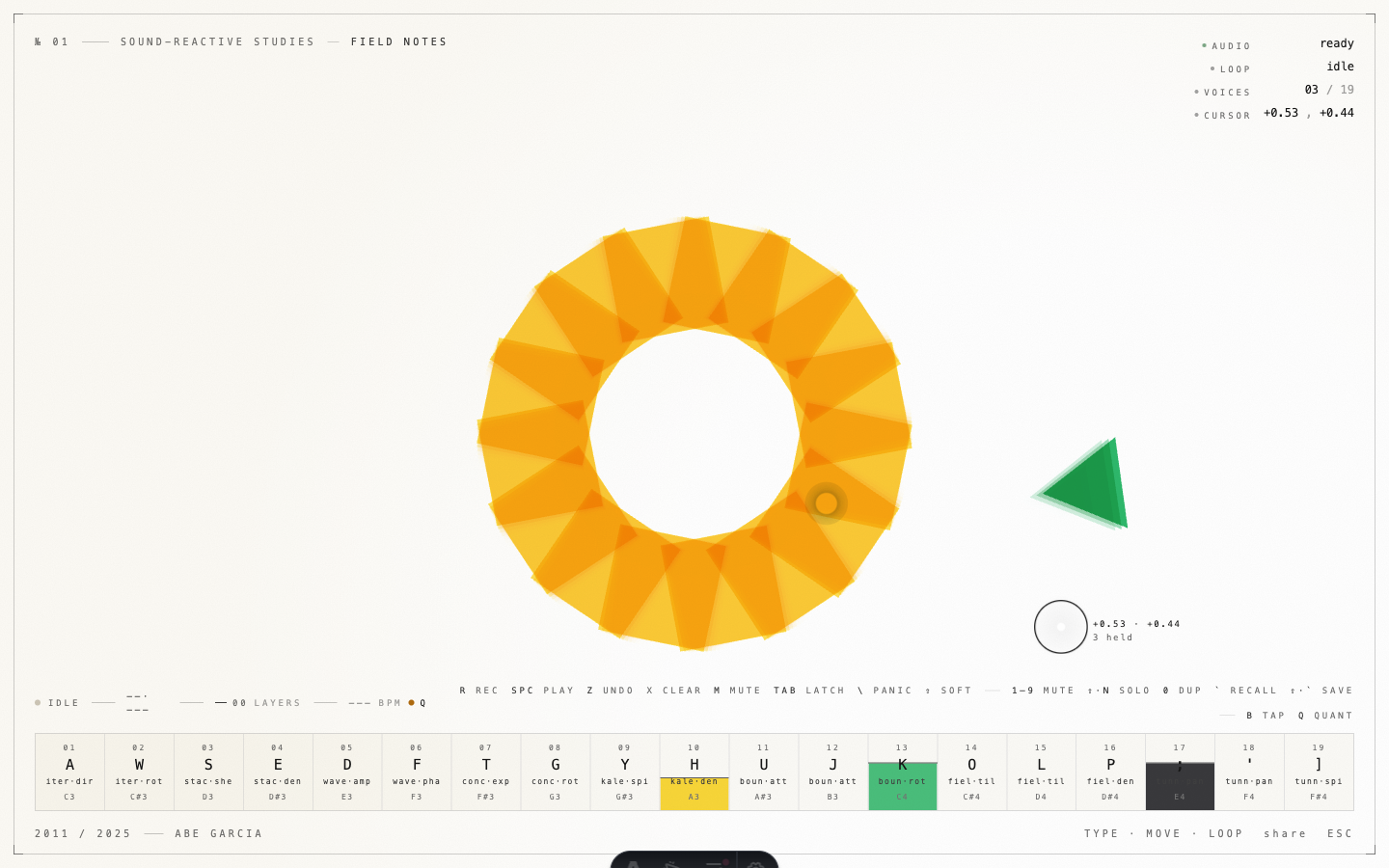
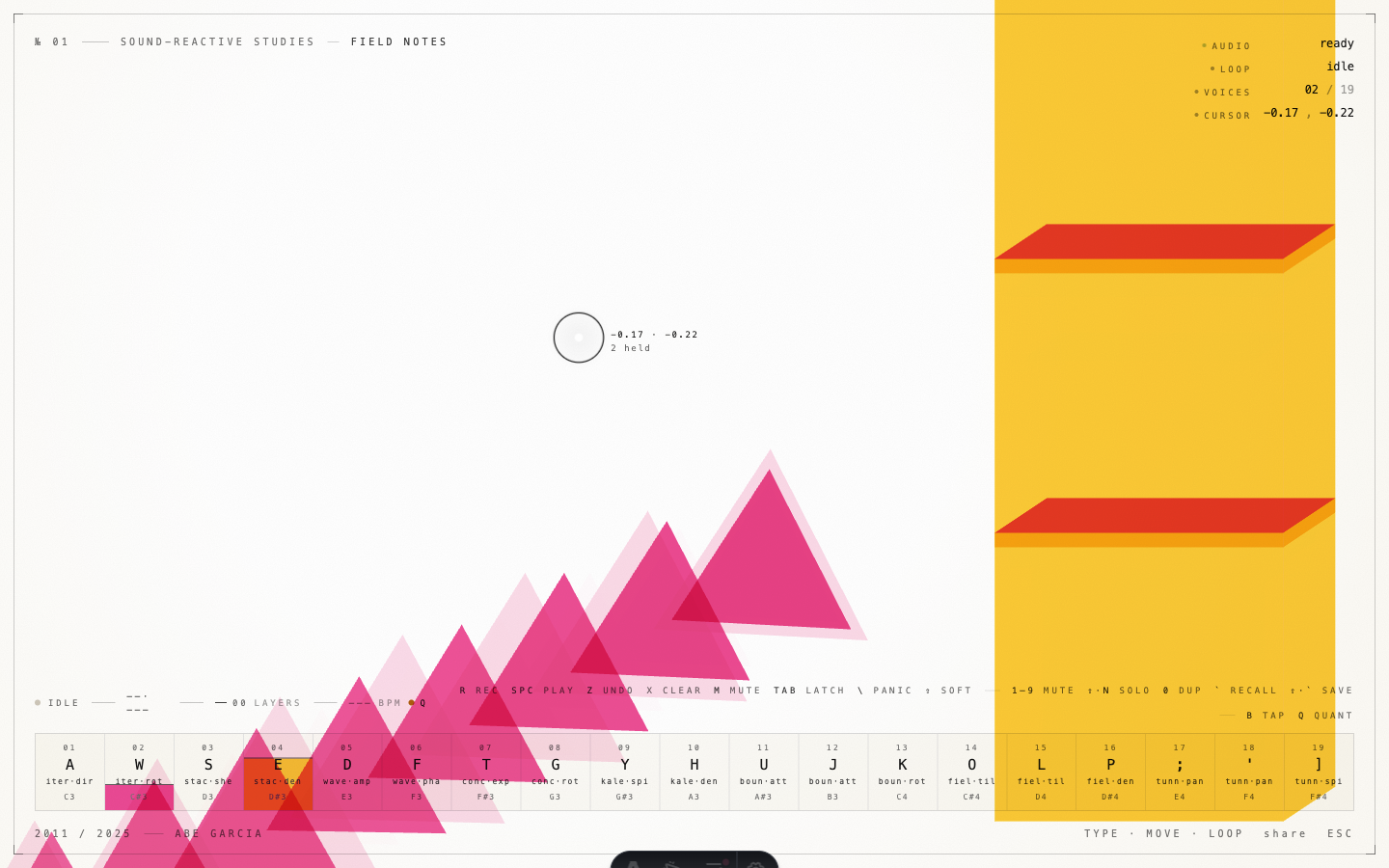
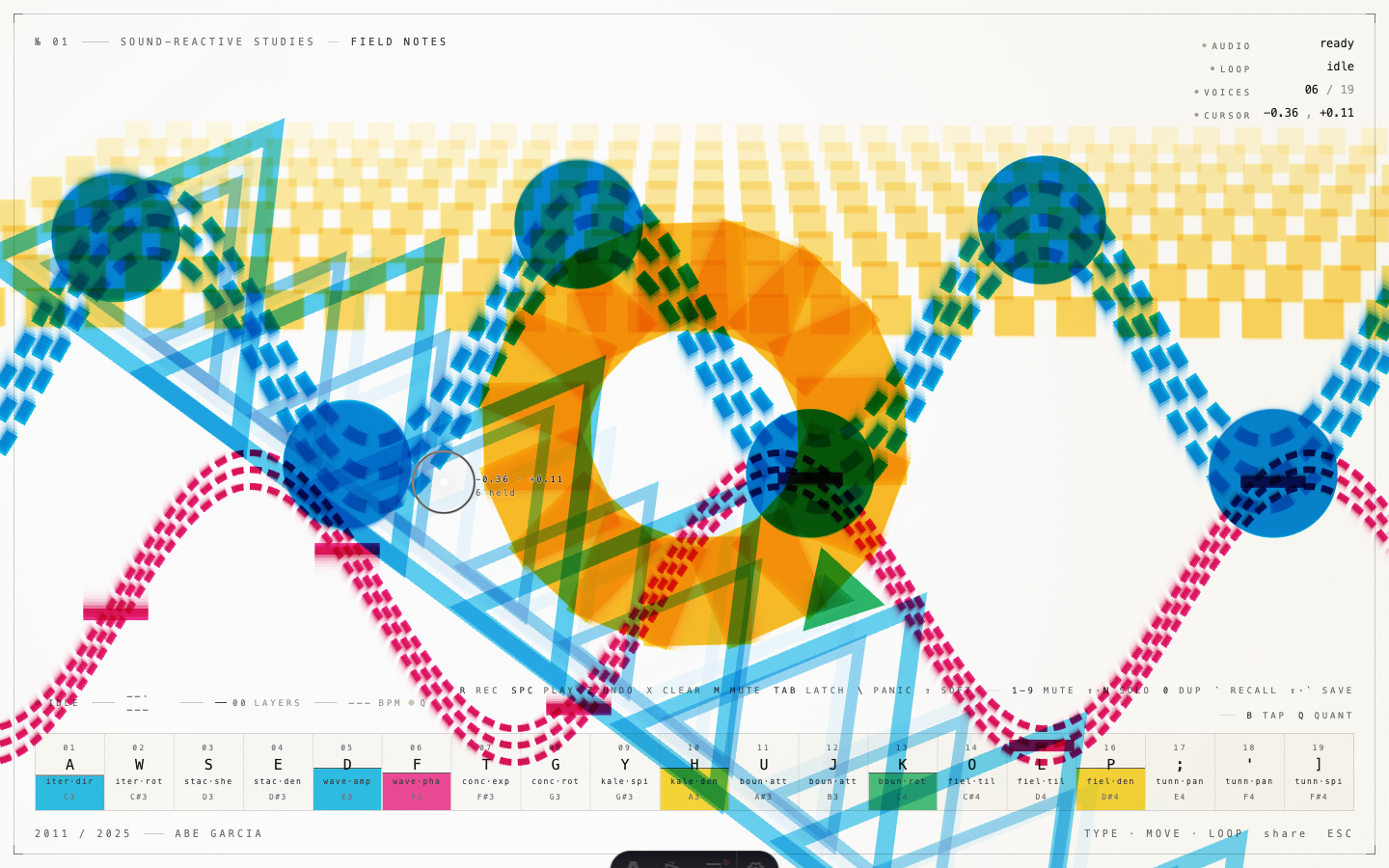
Play it here: thehonestape.com/play/instrument. Hold a key. Move the cursor. The sheet prints.
This is the first numbered entry in a thread of work I’m calling Sound-Reactive Studies: small, finished-enough pieces that each ask the same question from a different angle. What does sound look like when you let the computer draw it for you, and what changes when a person is the thing modulating both?
Where this comes from
In 2011 I built Hi Fi Lo Fi Wi Fi as my MFA thesis. It was a room full of MIDI controllers wired into projections and a wall of vintage iMacs, each running its own sound-reactive image. Drum machines drove triangles. A keyboard drove halftone curves. Knobs rotated the whole composition in three-dimensional space. The thesis was the first time I let myself treat sound and image as the same material, mixed the same way you mix ink: by overprinting.
I’ve kept coming back to that idea ever since. Not as nostalgia for the thesis, but because the underlying question still hasn’t run out of room. The medium keeps changing. The browser is the medium now.
So I’m dropping the “Hi Fi Lo Fi Wi Fi” name from the work itself and treating it as the origin of a series instead. The new container is Sound-Reactive Studies, and No. 01 is the piece I just shipped.
What No. 01 is
A specimen sheet that draws itself.
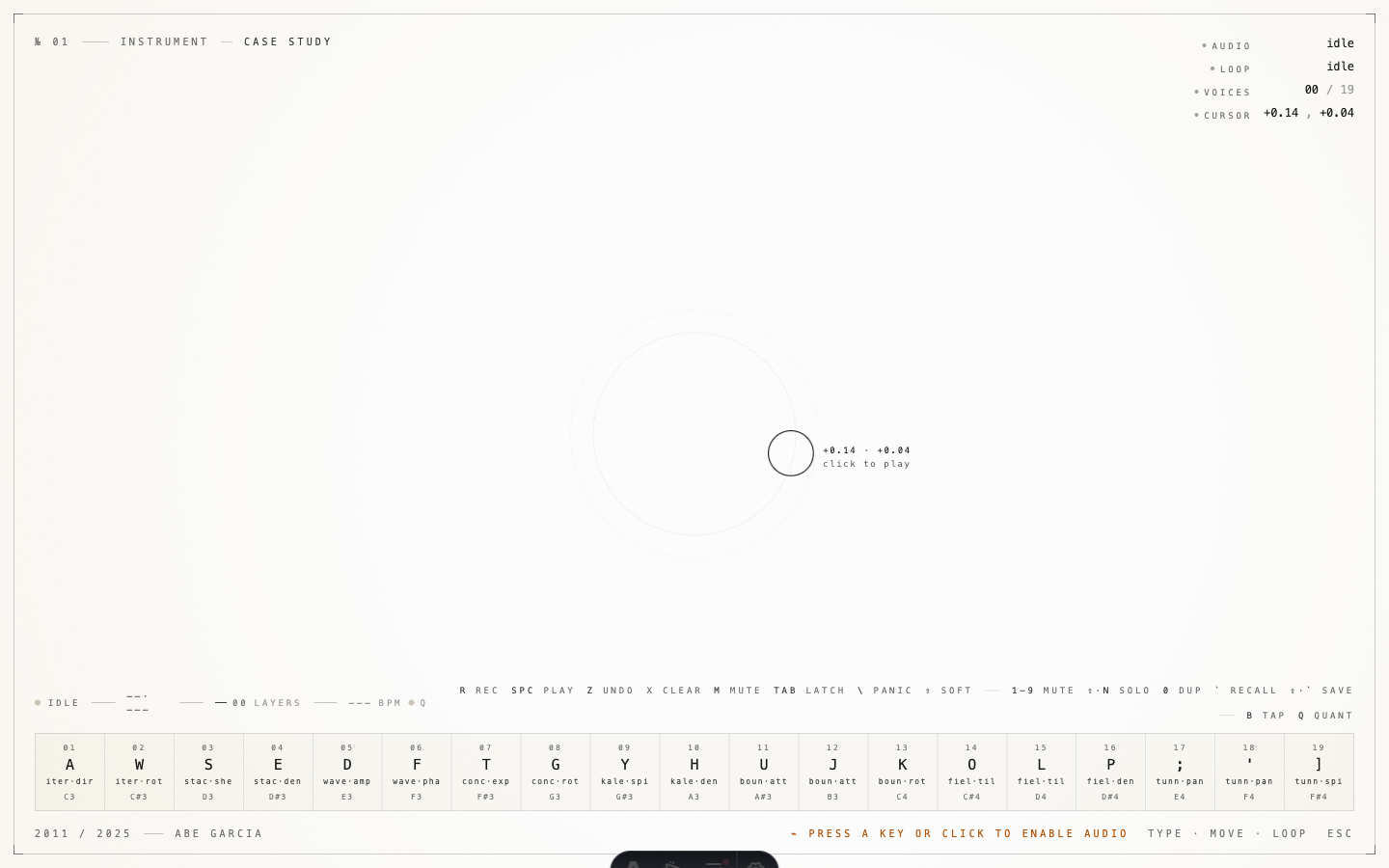
It opens on a cream paper background with hairline registration marks in the corners, a title plate at the top, and a typesetter’s ledger across the bottom showing all nineteen voices laid out like a font catalog. There is no hero title and no instructions. The page is listening.
Press a key and a voice attacks. Each voice is a different drawing: hard-edged triangles, dotted halftones, a registration cross, a rotating bar. Two voices held at once means two layers of ink on the same sheet. Five voices means the page goes full CMYK overprint and you start to lose the paper.
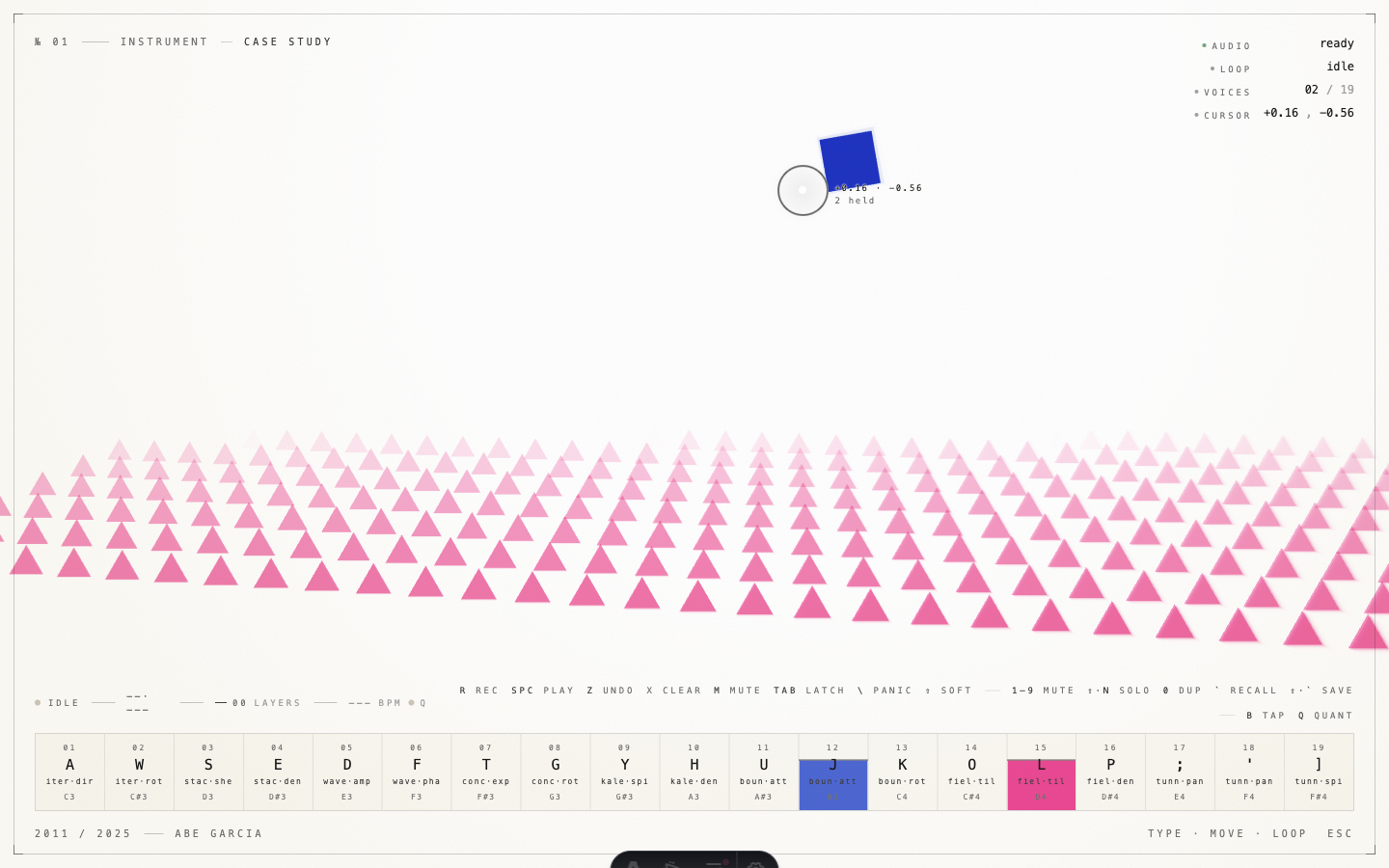
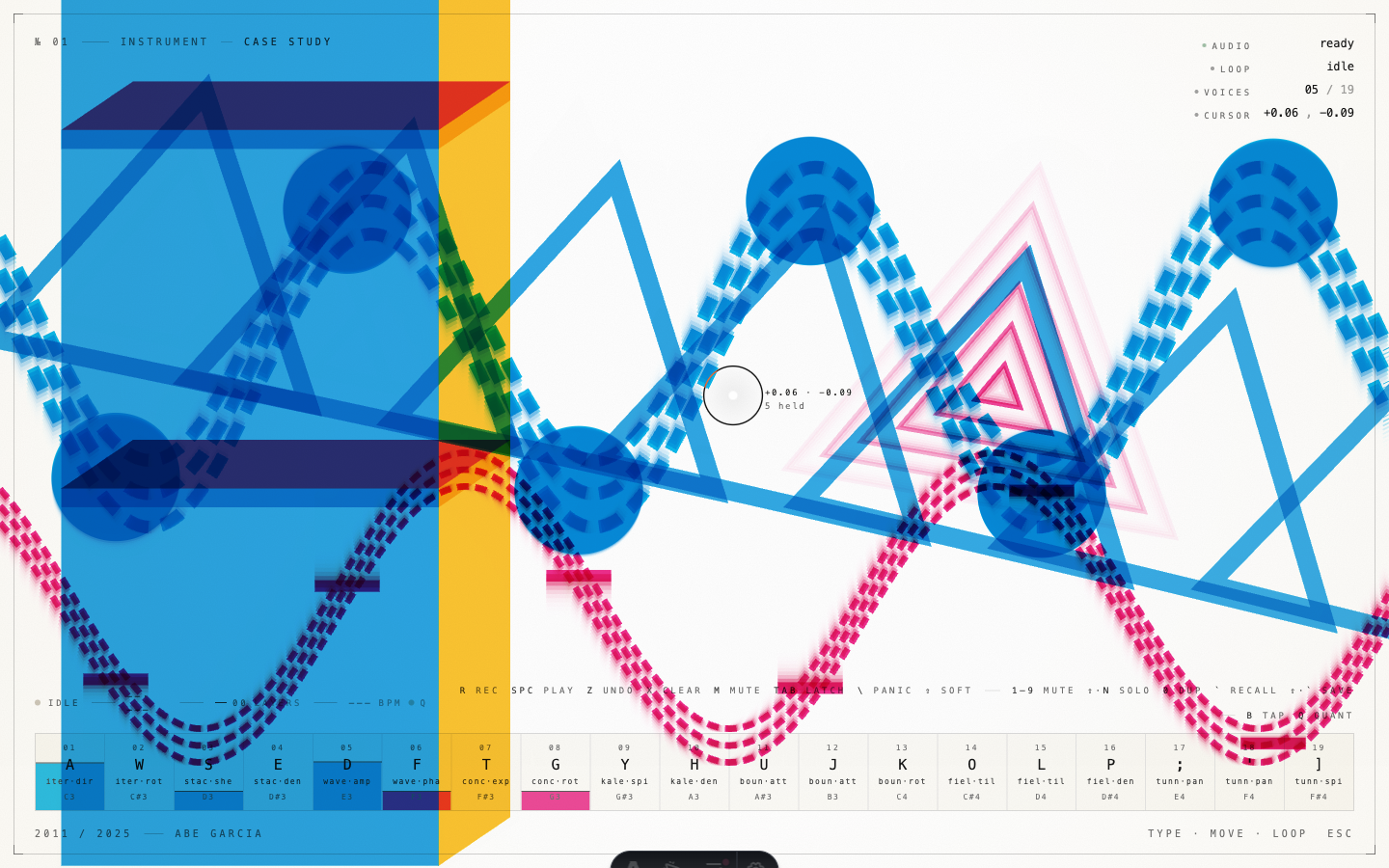
The cursor doesn’t make sound. It modulates the timbre and shape of whatever voices are currently held, the same way the original MIDI knobs did, just rebound to the X/Y of a mouse. It also runs as a small camera-lens reticle with a live coordinate readout, which is its own small piece of the study and the part I redesigned to ship this post.
There is a looper underneath all of this. Record a layer, overdub another one on top, mute or solo, scenes, tap tempo. You can build a short composition entirely from key presses without ever touching a synthesizer. The recent commits in the repo are the audit trail of that growth.
What’s actually new compared to 2011
The thesis ran on physical MIDI hardware feeding Processing sketches and a Max/MSP patch. Each iMac was a closed loop. To experience it you had to be in the room.
This version runs entirely in a browser tab. WebGL draws the particles with additive blending so the inks behave like inks. Web Audio synthesizes the voices and reads the cursor as a modulation source. Web MIDI is wired up too, so a real controller still works the way it did in 2011, but no one needs one. The whole thing lives at a URL.
There is also a small architectural shift I care about. In the thesis, the cursor was a coincidence: it was wherever the visitor’s hand happened to be on a trackpad. In this version, the cursor is a first-class voice. It doesn’t trigger sound on its own, but it modulates every voice that is currently held, and the looper records its trajectory alongside the notes. That makes a “performance” reproducible in a way the thesis version never was.
Why a series
The thesis answered a question that was specific to its moment. The series answers a different one: can the same investigation be carried forward as a working practice rather than a single piece?
The format that’s emerging is small, numbered studies. Each one ships with a playable artifact on /play, a short post explaining what it is and what changed, and screenshots that work as stills if you can’t or won’t run it yourself. The studies don’t have to escalate in ambition. No. 02 might be smaller. They just have to be honest about what they’re investigating.
I have a list of candidates queued up: a granular sampler driven by scroll position, a stereo field that maps to a pan-zoom on a single image, a notation system where time is vertical and the page scrolls. If any of those ship, they’ll show up here under this same series tag.
Try it
Open the instrument. Hold a key. Move. Loop a layer. Hit escape when you’re done.
If you want the longer story of where the work comes from, the 2011 thesis case study is the right place to start.
“My training as an engineer has enabled me to design the stuff, but the reason I do it is not to make music, but for the opportunity to work with musicians.”
Bob Moog, inventor of the Moog synthesizer